
The Web Platform Baseline
For years, developers have asked the same question: “Can I use this feature yet?”
The answer usually involved checking Can I Use, deciphering release notes from Chrome, Safari, and Firefox, and consulting your analytics to see which browsers your users are actually on. It was a fragmented process.
Enter Baseline.
What is Baseline?
Section titled “What is Baseline?”Baseline is an initiative by the Web DX Community Group (which includes Apple, Google, Microsoft, and Mozilla) to clarify the status of web features. It aims to provide a common language and definition for “safe to use.”
Baseline categorizes features into three main stages:
1. Limited Availability
Section titled “1. Limited Availability”Everything starts here. Features that are experimental, behind flags, or only implemented in some browsers but not the other major browsers.
2. Baseline Newly Available
Section titled “2. Baseline Newly Available”A feature becomes “Newly Available” when it is interoperable across the core browser engines:
- Chrome (Google)
- Edge (Microsoft)
- Firefox (Mozilla)
- Safari (Apple)
Once a feature lands in the stable release of all these browsers, it is now Baseline Newly Available.
3. Baseline Widely Available
Section titled “3. Baseline Widely Available”A feature becomes “Widely Available” 30 months after it becomes Newly Available.
This 30-month window is chosen because it generally covers the update cycle for most users and enterprise environments. If a feature is Widely Available, you can generally use it without worrying about polyfills or fallbacks for the vast majority of users.
Tooling and Ecosystem
Section titled “Tooling and Ecosystem”The Baseline status is being integrated into the tools we use every day:
-
Can I Use: Now displays the Baseline badge and status (New/Widely) on feature pages.
-
MDN Web Docs: Shows the Baseline status at the top of feature pages.
-
Browserslist: You can now query based on Baseline status.
Terminal window # Targets browsers that support widely available featurespnpx browserslist "baseline newly available" -
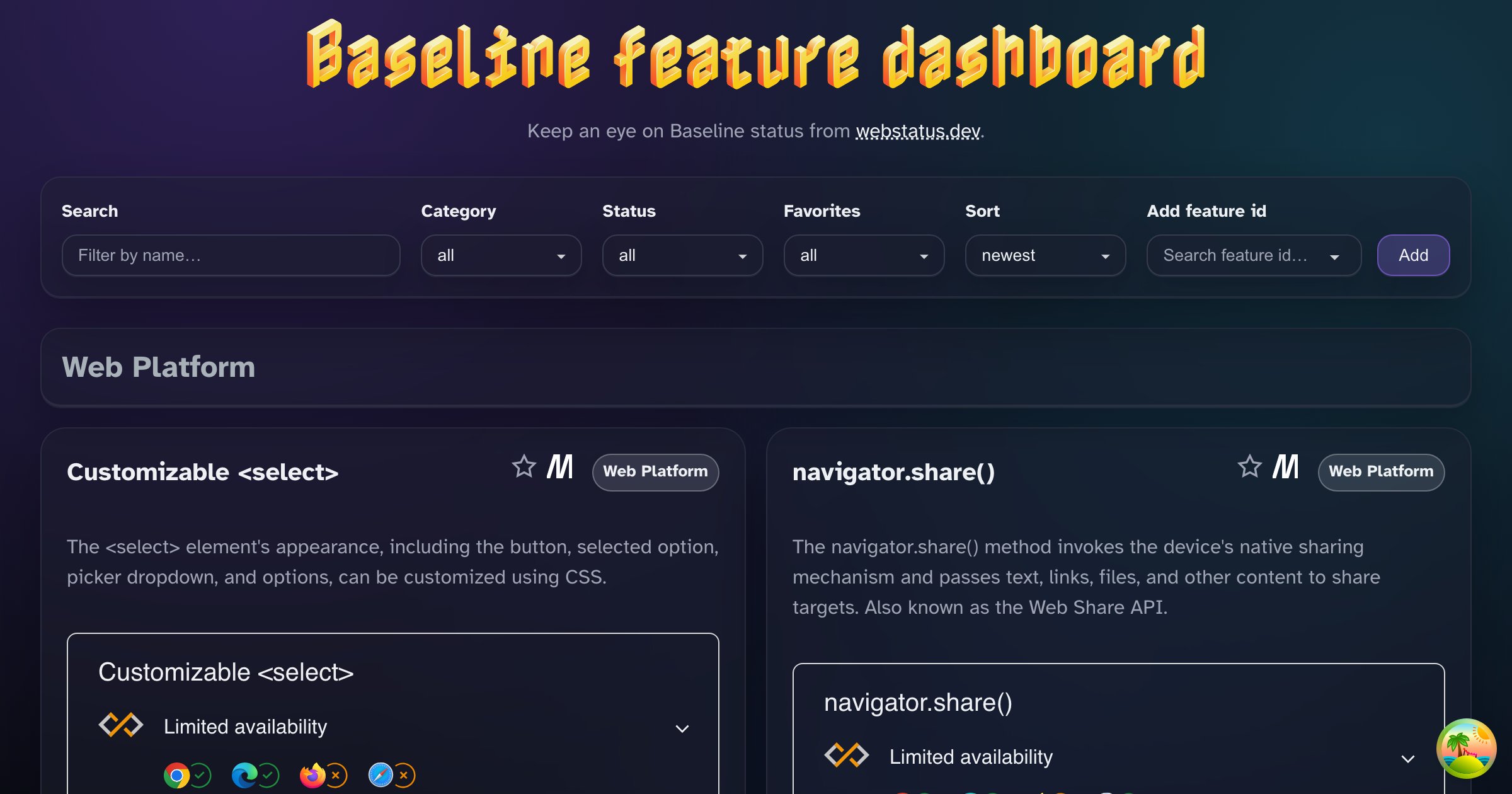
Baseline Dashboard: it provides a live dashboard of your selection of Baseline features and their statuses.
For Fullstack TS Developers
Section titled “For Fullstack TS Developers”Integrating browserslist with TypeScript requires some manual synchronization, as TypeScript does not automatically read your browserslist configuration.
-
Browserslist: Handles polyfills (via Babel/PostCSS) and CSS prefixes.
package.json "browserslist": ["baseline widely available","not IE 11"] -
TypeScript (
tsconfig.json): Handles syntax down-leveling. If you use a bundler (Vite, Webpack), it will handle the heavy lifting based onbrowserslist. You can keep your TS target modern.{"compilerOptions": {"target": "ES2022","lib": ["DOM", "DOM.Iterable", "ES2022"]}} -
Bundler Integration (e.g., Vite): Vite handles CSS (via PostCSS) based on your
browserslistautomatically. For JavaScript transpilation (via esbuild), you often need to convert yourbrowserslistconfig to a formatesbuildunderstands.One popular way is using the
browserslist-to-esbuildpackage:vite.config.ts import { defineConfig } from 'vite';import browserslistToEsbuild from 'browserslist-to-esbuild';export default defineConfig({build: {// Automatically syncs your JS build target with your browserslist configtarget: browserslistToEsbuild(),},});
Using the Baseline Component
Section titled “Using the Baseline Component”You can embed the official Baseline status widget on your own documentation or dashboards. There is a web component available that fetches the data live.
In Vanilla HTML
Section titled “In Vanilla HTML”You can treat it like any other HTML element after importing the script.
First Import the script:
<script src="https://cdn.jsdelivr.net/npm/baseline-status@1/baseline-status.min.js" type="module"></script>Then Use the component:
You need the featureId, which you can find on webstatus.dev.
<baseline-status featureId="popover"></baseline-status>In React
Section titled “In React”With React 19, support for Custom Elements is native, so you can use it just like a standard HTML element.
// React 19+import 'baseline-status'; // Make sure the package is installed
function FeatureCard() {  return (    <div>      <h3>Popover API</h3>      <baseline-status featureId="popover"></baseline-status>    </div>  );}
Result
Section titled “Result”What does it look like in practice? Let’s look at the HTML Popover status:
Popover
Baseline 2025 newly available
Supported in Chrome: yes.
 Supported in Edge: yes.
 Supported in Firefox: yes.
 Supported in Safari: yes.

Baseline 2025 newly available
Supported in Chrome: yes.
Supported in Edge: yes.
Supported in Firefox: yes.
Supported in Safari: yes.
Supported in Edge: yes.
Supported in Firefox: yes.
Supported in Safari: yes.
Since January 2025 this feature works across the latest devices and browser versions. This feature might not work in older devices or browsers.